
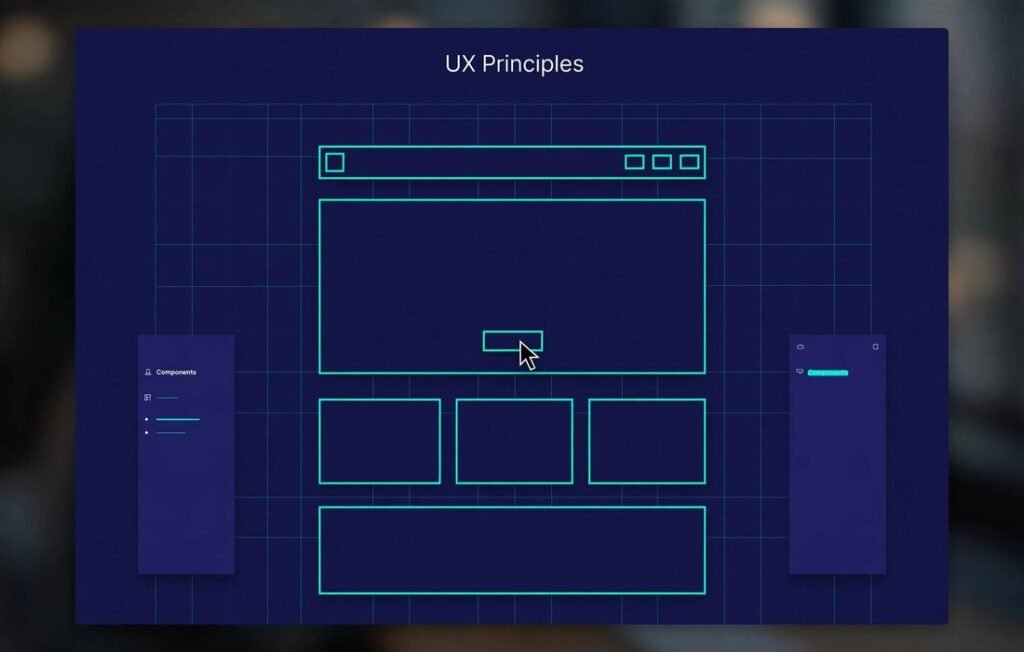
Short answer: The UX principles that most reliably increase conversions are: instant clarity of value, frictionless forms, visible social proof, fast performance, clear visual hierarchy, mobile-first design, and strategic calls-to-action. Together, they’re the difference between a website that informs and one that sells.
Key Takeaways
- Users form an opinion about your site in about 50 milliseconds — first impressions are UX.
- Every extra form field reduces conversions; every second of load time costs revenue.
- Clarity beats cleverness: if visitors can’t instantly grasp your offer, they leave.
- Mobile UX isn’t a version of desktop UX — for most sites it’s the primary experience.
- UX improvements compound the ROI of all your marketing — traffic is wasted on sites that can’t convert.
Why UX Is a Revenue Discipline
UX design is often mistaken for making things “pretty.” In reality, it’s applied behavioral psychology: structuring information and interactions so users effortlessly do what benefits them — which, when designed right, is also what benefits your business. Research from the Nielsen Norman Group has long shown that usability directly predicts business metrics, and Baymard Institute’s extensive e-commerce UX research documents how specific interface flaws measurably destroy conversion rates. Good UX isn’t an expense; it’s leverage.
The 7 Principles
1. The 5-Second Clarity Rule
Within five seconds, a visitor must understand: what you offer, who it’s for, and what to do next. Test this ruthlessly — show your homepage to someone for five seconds, hide it, and ask what the business does. If they can’t answer, your hero section failed. One clear headline, one supporting subheadline, one primary CTA. That’s the formula.
2. Ruthless Friction Reduction
Every field, click, and decision point is a place where users abandon. Audit your conversion paths: can the form have 3 fields instead of 8? Can checkout be one page? Can you offer guest checkout, autofill, and social login? The Baymard Institute found that complicated checkout flows are a leading cause of cart abandonment — simplicity directly equals revenue.
3. Social Proof at Decision Points
People follow people. Place testimonials, client logos, ratings, and case-study snippets adjacent to your CTAs — not buried on a separate page. Specific proof (“Increased our leads 212% in 90 days — Sarah K., SaaS CEO”) dramatically outperforms vague praise (“Great service!”). Our client work follows this principle throughout.
4. Speed as a Feature
Performance is UX. Google’s research shows bounce probability rises sharply as load time grows — and mobile users are the least patient. Optimize images, minimize scripts, use a CDN, and treat Core Web Vitals as design constraints, not engineering afterthoughts. A beautiful site that loads in 6 seconds converts worse than a plain one loading in 1.5.
5. Visual Hierarchy That Guides the Eye
Users don’t read pages — they scan them in predictable patterns. Use size, color, contrast, and whitespace to create an unmissable path: headline → supporting proof → CTA. The primary action should be visually dominant; secondary actions muted. If everything shouts, nothing is heard.
6. Mobile-First, Not Mobile-Also
With mobile driving the majority of web traffic (StatCounter consistently reports mobile above 60%), designing desktop-first and “adapting” to mobile is backwards. Design the mobile experience first — thumb-friendly tap targets, readable type without zooming, simplified navigation — then enhance for larger screens.
7. One Page, One Job
Every page should have a single primary goal and a single primary CTA. A page trying to capture emails, sell products, and recruit partners does none of them well. Match the CTA to the visitor’s intent: educational content gets a soft CTA (download, subscribe); commercial pages get the hard CTA (buy, book a call).
How to Apply This This Week
- Run the 5-second test on your homepage with 3 people.
- Count the fields in your main form — cut it to the minimum.
- Move your best testimonial next to your primary CTA.
- Test your mobile load speed with PageSpeed Insights and fix the top issue.
- Check that every key page has exactly one dominant CTA.
FAQ
What’s the difference between UI and UX?
UX (user experience) is how a product works — the structure, flow, and logic. UI (user interface) is how it looks — the visual layer. Great products need both, but UX problems (confusing flow) hurt more than UI problems (dated styling).
How do I know if my website has UX problems?
Symptoms: high bounce rates, low time on page, form abandonment, and traffic that doesn’t convert. Tools like heatmaps (Hotjar, Microsoft Clarity — free) show exactly where users struggle.
Can good UX really increase revenue?
Yes — often dramatically. E-commerce UX research consistently shows that fixing checkout and product-page usability lifts conversion rates by double-digit percentages. It’s among the highest-ROI investments a business can make.
Should I redesign or optimize my current site?
Optimize first unless the site is fundamentally broken. Targeted UX fixes usually beat full redesigns on ROI — and they’re faster. Our UI/UX design team starts every engagement with a conversion-focused UX audit.
The Bottom Line
Your website doesn’t need more traffic — it needs to convert the traffic it has. These seven principles are the 20% of UX that drives 80% of results. Get a professional UX audit or talk to our design team about turning your site into a conversion engine.